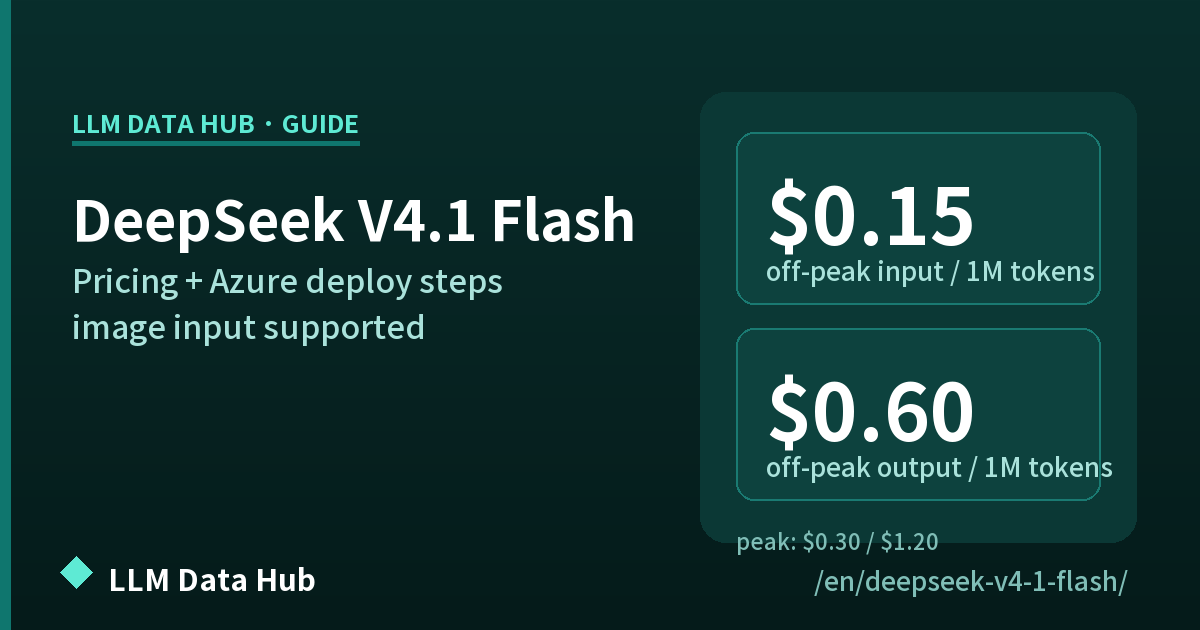
DeepSeek V4.1 Flash Guide
On 2026-09-10 DeepSeek officially released DeepSeek-V4.1-Flash, the smallest model in its new architecture family. Prices are far lower than V4 Pro, and image input (vision) is supported natively. This page covers pricing, specs and benchmarks verified only against DeepSeek's official pricing page and change log, plus setup in VS Code GitHub Copilot Chat and the relationship with V4 Pro (which DeepSeek says continues after 2026-09-14). See also the pricing comparison, the token calculator and the release timeline.
October 17, 2026 update — V4.1-Flash-1017, plus Search and Fetch APIs
- The model was updated; pricing and API calls stayed the same. Verbatim: “DeepSeek V4.1 Flash has been upgraded to DeepSeek-V4.1-Flash-1017. The official web and APP models have also been updated to the new version. The API calling method and pricing remain unchanged — simply use deepseek-flash to access the latest model.”
- Benchmarks below are copied from the official changelog (not our measurements): HLE (w/o tools) 42.6 (44.0*) / Terminal-Bench 4.0 42.3 / DeepSWE v1.1 77.0 / ProgramBench 29.1 / NL2Repo-Bench 68.2 / Automation-Bench v1.0.6 60.5 / Agents' Last Exam 35.4 / Apex Bench v1.1 72.1 / Chartography (w/tools) 83.0 / BabyVision (w/tools) 92.5 / ZeroBench-main (w/tools) 51.0. *pure-text subset of HLE only; Terminal-Bench 4.0 was run with the Claude Code framework, DeepSWE with Mini-SWE-V2, ZeroBench-main with Pass@5.
- DeepSeek says it also cut task runtime and output length. Verbatim: “While improving performance, we also reduced the model's task runtime and output length, enabling users to complete tasks at lower cost and higher speed”. DeepSeek Harness 0.2.1-rc.1 or later is recommended.
- The phrasing “significantly enhanced project development capabilities” does not appear verbatim on the official page, so we do not use it; we stick to the benchmark table and the runtime/output-length wording above.
Web Search / Fetch APIs (released the same day)
| Item | Official documentation |
|---|---|
| Search endpoint | POST https://api.deepseek.com/v1/tools/search |
| Fetch endpoint | POST https://api.deepseek.com/v1/tools/fetch |
| Auth | Same bearer auth as the DeepSeek API, JSON body (Authorization: Bearer <API Key>) |
| Billing (Search) | $0.75 per 1,000 successful requests |
| Billing (Fetch) | $0.75 per 1,000 successful requests |
| Search limits | query: 1–128 Unicode characters (not all whitespace); count: 1–50 (default 10); need_content defaults to false |
| Fetch limits | url up to 8192 characters, HTTP or HTTPS. Availability depends on the target site (verbatim: “Fetching is subject to the target site's availability and access policies.”) |
Billing is per successful request and is separate from token billing. Server-side tool calls made through DeepSeek Harness, Claude Code or Codex are “currently free of charge”; per-request billing starts at 00:00 Beijing time on November 1, 2026. Token prices (Flash: $0.003 cache hit / $0.15 cache miss / $0.60 output, all off-peak) were unchanged when we re-checked on 2026-10-21.
The short version
- V4.1 Flash is the current workhorse. The model ID you pass in API requests is
deepseek-flash(labels and options inside VS Code may differ as the extension is updated). 1M context, 384K max output, native image input. - Prices are far lower than V4 Pro. Input (cache miss) $0.15 off-peak / $0.30 peak; output $0.60 off-peak / $1.20 peak, in USD per 1M tokens. For reference, V4 Pro is $0.66 off-peak input and $1.98 off-peak output.
- V4 Pro keeps running after 2026-09-14. DeepSeek had announced that
deepseek-v4-prorequests would route to V4.1 Flash from 9/14, but it withdrew that notice. No rewrite is required (see below).
Official pricing (re-checked 2026-10-05 — unchanged)
USD per 1M tokens. Off-peak rates are half the peak rates.
| Item | Off-peak | Peak |
|---|---|---|
| Input (cache hit) | $0.003 | $0.006 |
| Input (cache miss) | $0.15 | $0.30 |
| Output | $0.60 | $1.20 |
📘 cache hit vs cache miss: if the beginning of your prompt is still in DeepSeek's cache it counts as a cache hit (input $0.003 per 1M tokens — 1/50 of cache miss), otherwise it counts as a cache miss ($0.15). Sending the same long system prompt in the same order makes hits more likely.
Unit price vs V4 Pro (current rates)
| Item | V4 Pro (current) | V4.1 Flash | Change |
|---|---|---|---|
| Input cache miss (off-peak) | $0.66 | $0.15 | ~77% lower |
| Input cache hit (off-peak) | $0.022 | $0.003 | ~86% lower |
| Output (off-peak) | $1.98 | $0.60 | ~70% lower |
⏰ Peak hours: 01:00-04:00 and 06:00-10:00 UTC, Monday-Friday only (excluding Chinese public holidays) (JST 10:00-13:00 / 15:00-19:00; Beijing 09:00-12:00 / 14:00-18:00). Weekends and Chinese public holidays are off-peak all day. The peak/off-peak scheme took effect 2026-08-16 16:00 UTC, and footnote (2) on the official pricing page reads "Monday through Friday (excluding Chinese holidays)". Source: api-docs.deepseek.com (first read 2026-09-11; footnote captured 2026-09-23, re-checked 2026-10-05).
Estimate your own cost with the token calculator, which lists both off-peak and peak rows for V4.1 Flash. For cross-provider comparison see pricing (DeepSeek).
V4 Pro keeps running (as of 2026-09-13)
Only what DeepSeek's official documentation states.
✅ DeepSeek says V4 Pro continues — the 9/14 routing notice was withdrawn
- The 2026-09-10 V4.1 Flash announcement said DeepSeek would retire V4 Pro in an orderly manner and route
deepseek-v4-prorequests to V4.1 Flash from 2026-09-14. - DeepSeek has since withdrawn that notice, replacing footnote (2) of the pricing page and the Change Log entry with: "In response to user demand, we have decided to continue providing API services for DeepSeek V4 Pro after September 14, 2026, with the billing method remaining unchanged."
deepseek-v4-prokeeps working and no code or API-key change is needed. A dedicated V4 Pro row (off-peak input $0.66 / output $1.98) is still on the official pricing page — it was never folded into V4.1 Flash pricing.- DeepSeek adds that it "will provide further notice should there be any changes," so future changes cannot be ruled out. Full details and a comparison live on the V4 Pro continuation page.
Model names at a glance (as of 2026-09-13)
| Model name | Status | Actual behaviour |
|---|---|---|
deepseek-flash | Current | DeepSeek-V4.1-Flash. Native vision, lower rates. The default choice for new code |
deepseek-v4-pro | Live (continuing) | Billed at V4 Pro's own rates; DeepSeek confirms it continues after 2026-09-14. No vision; concurrency 500 |
deepseek-v4-flash | Retired | Accepted temporarily for compatibility; served by V4.1 Flash at the Flash price |
deepseek-v4-flash-vision-exp | Retired | Same as above (the old vision experimental model folded into V4.1 Flash) |
deepseek-chat / deepseek-reasoner | Discontinued | Legacy aliases ended on 2026-07-24 |
Source: Models & Pricing notes (1) and (2) · Change Log (retrieved 2026-09-13). See the V4 Pro continuation page for the full picture.
Specifications (official feature table)
| Item | V4.1 Flash (deepseek-flash) |
|---|---|
| Model version | DeepSeek-V4.1-Flash |
| Context length | 1M tokens |
| Max output | 384K tokens (listed as MAXIMUM: 384K) |
| Thinking mode | Both non-thinking and thinking (thinking is the default) |
| Vision (image input) | Supported ✓ (V4 Pro does not) |
| Tool calls / JSON output | Supported ✓ |
| Responses API / Anthropic API | Supported ✓ (both OpenAI-format and Anthropic-format endpoints) |
| Chat Prefix Completion (Beta) | Supported ✓ |
| FIM Completion (Beta) | Non-thinking mode only |
| Concurrency limit | 2500 (V4 Pro is 500) |
| Base URLs | https://api.deepseek.com (OpenAI format) / https://api.deepseek.com/anthropic (Anthropic format) |
Source: api-docs.deepseek.com Models & Pricing (retrieved 2026-09-11). See DeepSeek's Rate Limit & Isolation page for concurrency details.
Official benchmarks (published 2026-09-10)
Numbers as published by DeepSeek in its change log. Not independently re-measured by this site.
| Benchmark | Score |
|---|---|
| GPQA Diamond | 90.9 |
| HLE | 36.8 (39.1) — *tested on the pure-text subset only |
| Codeforces (Rating) | 3471 |
| MathArena Apex | 65.6 |
| Terminal-Bench 2.1 | 90.6 |
| Terminal-Bench 3.0 | 30.0 |
| Terminal-Bench 4.0 | 31.2 |
| DeepSWE v1.1 | 74.2 |
| NL2Repo-Bench | 65.4 |
| CyberGym | 88.1 |
| SEC-Bench Pro | 62.8 |
| ProgramBench | 20.3 |
| ExploitGym | 15.3 |
| HLE (w/ tools) | 63.9 |
| Automation-Bench | 54.8 |
| Agents' Last Exam | 31.8 |
| Chartography (w/ tools) | 78.9 |
| BabyVision (w/ tools) | 89.6 |
| ZeroBench-main (w/ tools) | 49.0 |
Source: Change Log "DeepSeek-V4.1-Flash Release" (2026-09-10). These are vendor-reported figures.
Setup in VS Code GitHub Copilot Chat (3 steps)
The steps the operator (okamo channel) actually used with the V4 family. Extension names and model-picker labels can change, so check the official docs too.
Get an API key
Sign up at platform.deepseek.com. Top up with PayPal or a credit card (VISA/Mastercard), then create an API key beginning with sk-. It is fully prepaid, with a $2 minimum top-up.
Install the extension
Install DeepSeek V4 for Copilot Chat (publisher: Vizards) from the VS Code Marketplace.
Configure and start
Run DeepSeek: Set API Key from the command palette (Cmd/Ctrl+Shift+P) to register your key, then pick a DeepSeek V4 model in the Copilot Chat model picker.
💡 If you set the model name in code, use deepseek-flash. Code that still points at deepseek-v4-pro keeps working as-is (V4 Pro continues; see above).
Operator's setup record (2026-07-04, at the time of V4 Pro): okamo channel notes
Running it on Microsoft Foundry (Azure) — deploying DeepSeek-V4.1-Flash with the CLI (measured 2026-09-28)
DeepSeek's first-party API is not the only route: you can run DeepSeek models through Microsoft Foundry on Azure.
In a measurement on 2026-09-28, we deployed the current model DeepSeek-V4.1-Flash (version 2026-09-10) with the az CLI and got a response back from the OpenAI-compatible endpoint.
Below: ① availability ② deploy ③ choosing capacity ④ verifying the call ⑤ the pitfalls, using the exact commands we ran.
- Model catalog:
DeepSeek-V4.1-Flashis listed as "Direct from Azure" — version 2026-09-10, type Chat completion, lifecycle Preview, context window 1000k. - Foundry blog (updated 2026-09-25): two consumption paths are announced — "Direct from Azure" (public preview) and "Fireworks on Foundry" (generally available).
- Microsoft Learn's model list (ms.date 2026-09-21) still shows only
DeepSeek-V4-Pro,DeepSeek-V4-Flash-0731(Preview) andDeepSeek-V4-Flash— V4.1-Flash is not listed yet. - Azure's pricing page has no V4.1-Flash row yet either (re-checked 2026-10-05; the DeepSeek tab still lists only V4 Pro, V4 Flash, V4 Flash 0731 and V3.1).
list-models against your own account and check the real thing (Step 3).
Prerequisites
- An Azure subscription where you can create resources (registering a resource provider requires Owner)
- The Azure CLI (
az). Theaz cognitiveservicescommands ship with core, so Azure CLI 2.60+ needs no extra extension - You are signed in to the target subscription with
az login
Placeholders used below
| Placeholder | Meaning / value to supply |
|---|---|
<SUBSCRIPTION_ID_OR_NAME> | ID or name of the Azure subscription to use |
<RESOURCE_GROUP> | Resource group name (e.g. rg-deepseek) |
<LOCATION> | Region (e.g. eastus). Availability differs per model — check the Azure portal model catalog |
<ACCOUNT_NAME> | Azure AI Services account name, which must be globally unique (e.g. dsflash0928). The same value is used for --custom-domain |
<DEPLOYMENT_NAME> | Your deployment name (free choice). The model field in API calls takes this deployment name, not the model name (e.g. ds-flash-01) |
<MODEL_VERSION> | Model version string. Measured as 2026-09-10 on 2026-09-28, but names and versions differ by environment (subscription/region) — always confirm with list-models below |
<API_KEY> | Key of the Azure AI Services account (fetched from the CLI in the steps below) |
Step 0 — Prepare the Azure CLI and register the resource provider
Doing this first avoids the MissingSubscriptionRegistration error later.
# Check the Azure CLI version (2.60+ recommended)
az version

# Sign in if needed
az login

# Select the subscription to use
az account set --subscription "<SUBSCRIPTION_ID_OR_NAME>"

# Register the resource provider (avoids MissingSubscriptionRegistration)
az provider register --namespace Microsoft.CognitiveServices

# Check registration state (can take a few minutes to become Succeeded)
az provider show --namespace Microsoft.CognitiveServices --query registrationState -o tsv
Step 1 — Create a resource group
az group create \
  --name "<RESOURCE_GROUP>" \
  --location "<LOCATION>"
Step 2 — Create the Azure AI Services account
With --custom-domain, the endpoint becomes https://<ACCOUNT_NAME>.openai.azure.com/.
az cognitiveservices account create \
  --name "<ACCOUNT_NAME>" \
  --resource-group "<RESOURCE_GROUP>" \
  --kind AIServices \
  --sku S0 \
  --location "<LOCATION>" \
  --custom-domain "<ACCOUNT_NAME>" \
  --assign-identity \
  --allow-project-management true \
  --yes
Step 3 — Deploy DeepSeek-V4.1-Flash
List the models actually available to your account, then deploy with those values. Checking the real thing first is how you stay safe while the docs lag behind.
# List deployable DeepSeek models and their versions
az cognitiveservices account list-models \
  -n "<ACCOUNT_NAME>" -g "<RESOURCE_GROUP>" \
  --query "[?contains(name,'DeepSeek')].{name:name,format:format,version:version}" -o json

# Deploy (SKU is GlobalStandard; see the notes below for --sku-capacity)
az cognitiveservices account deployment create \
  --name "<ACCOUNT_NAME>" \
  --resource-group "<RESOURCE_GROUP>" \
  --deployment-name "<DEPLOYMENT_NAME>" \
  --model-name "DeepSeek-V4.1-Flash" \
  --model-version "<MODEL_VERSION>" \
  --model-format "DeepSeek" \
  --sku-name "GlobalStandard" \
  --sku-capacity 20

# Confirm the deployment (model name, SKU, capacity)
az cognitiveservices account list-deployments \
  -n "<ACCOUNT_NAME>" -g "<RESOURCE_GROUP>" \
  --query "[].{name:name,model:properties.model.name,version:properties.model.version,sku:sku}" -o json
💡 On 2026-09-28, list-models returned DeepSeek-V4.1-Flash (version 2026-09-10, format DeepSeek) and the deployment went through with those values.
Version strings can differ by environment, so don't paste the value from this article — use what list-models returns.
⚠️ --sku-capacity in practice (measured by the operator, 2026-09-28)
--sku-capacity 1does deploy successfully, but it was so small that a few API calls hit quota errors. In our measurement,20was stable (a short trial in one environment; the capacity you need varies with load, so this is not a general recommendation).- Capacity maps to TPM (tokens per minute). Microsoft Learn states that TPM is assigned in increments of 1,000 and RPM is derived from TPM, varying by model (Foundry Models quotas and limits).
- Measured on a capacity-20 deployment via response headers:
x-ratelimit-limit-requests: 20(RPM) andx-ratelimit-limit-tokens: 20000(TPM). Always confirm your own limits from these headers orusage listafter deploying. - Quota is consumed per subscription. For Global Standard, deployments of the same model and version share a single quota pool across all regions, so adding the same model in another region competes for the same pool (same Learn page).
- Don't consume the whole limit. If you do, you cannot allocate quota to other deployments in the same subscription.
- Calls above the limit return HTTP 429. Use exponential backoff with retries, and request a quota increase if it is a recurring problem (same Learn page).
# Check current quota usage and limits (LOCATION = your deployment region)
az cognitiveservices usage list --location "<LOCATION>" -o table
⚠️ There is no deployment update in the core CLI (changing capacity)
- Microsoft Learn's
az cognitiveservices account deploymentlistscreate/list/show— core has noupdate(it exists only in the Previewfoundry-cost-controlextension). - So changing capacity practically means re-running
deployment createwith the new value (measured 2026-09-28). - Editing the deployment in the Azure portal is the safest fallback. Subcommand layouts change, so check the current Learn page before you run anything.
Step 4 — Export the connection settings
# Endpoint (OpenAI-compatible) and API key
export AZURE_AI_ENDPOINT="https://<ACCOUNT_NAME>.openai.azure.com/openai/v1/"
export AZURE_AI_API_KEY="$(az cognitiveservices account keys list \
  --name "<ACCOUNT_NAME>" \
  --resource-group "<RESOURCE_GROUP>" \
  --query key1 -o tsv)"

# The API's model field takes the deployment name
export DEPLOYMENT_NAME="<DEPLOYMENT_NAME>"
Step 5 — Verify with curl (and read the rate-limit headers)
curl -sS -D - "$AZURE_AI_ENDPOINT/chat/completions" \
  -H "Content-Type: application/json" \
  -H "api-key: $AZURE_AI_API_KEY" \
  -X POST \
  -d '{
    "model": "'"$DEPLOYMENT_NAME"'",
    "messages": [
      { "role": "user", "content": "Reply with just OK." }
    ]
  }'
✅ A JSON response means you are connected. Note that model takes the deployment name (passing the model name DeepSeek-V4.1-Flash can return a 404).
-D - prints the rate-limit headers (x-ratelimit-limit-requests / x-ratelimit-limit-tokens), so you can confirm your capacity is in effect.
If you prefer not to keep keys in environment variables, pass -H "api-key: <API_KEY>" directly.
For Entra ID (formerly Azure AD) auth, the official tutorial's approach with DefaultAzureCredential and scope https://ai.azure.com/.default also works.
⚠️ Pitfalls specific to the Azure route
- DeepSeek's own
thinkingparameter does not work on Azure. In our measurement, including{"thinking": {"type": "enabled"}}returned HTTP 400; onlyreasoning_effortwas accepted. If you port code from the first-party API, revisit those lines first. - The Foundry blog describes this model's reasoning effort as a continuous setting from 1 to 100, while the first-party API uses three levels (
low/high/max). The parameter systems differ — start small when migrating. - The catalog card states Context window 1000k / Token limits 128k output, which conflicts with the 384K max output DeepSeek publishes. Verify real limits in your own account.
- Model names and versions vary by environment — use
list-modelsrather than hard-coding values from this article. - It is Preview (public preview): SKUs, pricing, quotas and parameters can change without notice.
⚠️ If you hit MissingSubscriptionRegistration
The error looks like this (HTTP 409 / Conflict). The subscription simply has not registered the Microsoft.CognitiveServices resource provider — nothing is wrong with your resource definition.
MissingSubscriptionRegistration
The subscription is not registered to use namespace 'Microsoft.CognitiveServices'.- Fix 1 (CLI): run
az provider register --namespace Microsoft.CognitiveServices, then wait untilaz provider show --namespace Microsoft.CognitiveServices --query registrationState -o tsvreturnsRegistered(can take a few minutes). - Fix 2 (portal): Azure portal → Subscriptions → Resource providers → select
Microsoft.CognitiveServices→ Register. - Permissions: registration requires Owner on the subscription. Ask an administrator otherwise.
- Official troubleshooting: Register a resource provider
First-party API vs the Azure route (as of 2026-10-05)
Same model, not the same service. Only the differences that matter in operations:
| Item | DeepSeek first-party API | Via Microsoft Foundry (Azure) |
|---|---|---|
| Unit price (per 1M tokens) | Peak / off-peak: input (cache miss) $0.15–$0.30, output $0.60–$1.20, cache hit $0.003–$0.006 | No time-of-day variation: input $0.30, output $1.20, cached input $0.006 (Direct from Azure, per Microsoft's announcement) |
| Billing model | Pure consumption by token | Token consumption plus a reserved capacity (TPM) per deployment; over-limit calls return 429 |
| Reasoning control | OpenAI-style thinking (enabled by default) plus reasoning_effort (low/high/max, default high) | reasoning_effort only (thinking returns 400 in our test); the blog describes a continuous 1–100 setting |
| API surface | OpenAI-compatible, Anthropic-compatible and Responses API | OpenAI-compatible (/openai/v1) only; no Anthropic-compatible endpoint |
| Where data lives | The privacy policy states personal data is "directly collect[ed], process[ed] and store[d] ... in People's Republic of China" | Follows the deployment type: Global Standard processes in any Azure region; choose DataZone or Regional to pin the geography |
| Training on your data | The policy covers improving services and "train[ing] and improv[ing] our technology, such as our machine learning models and algorithms", and grants an opt-out right (API applicability not confirmed in primary sources) | Microsoft states data is "NOT used to train any generative AI foundation models without your permission or instruction" and is not available to the model provider |
| Rate limits | Official announcement advertises "no limits on concurrency or rate" | Determined by capacity: measured capacity 20 → 20 RPM / 20,000 TPM |
For the data-handling side in detail, see the zero data retention explainer and the China AI section of the China AI page.
Sources: Microsoft Foundry model catalog — DeepSeek-V4.1-Flash (version 2026-09-10, Preview, context window 1000k), Foundry blog — DeepSeek-V4.1-Flash is coming to Microsoft Foundry (updated 2026-09-25; two paths and the price table), az cognitiveservices account deployment (ms.date 2026-09-01), Foundry Models quotas and limits (TPM/RPM and 429 behaviour), Deployment types and Data, privacy, and security (data location and training). The command sequence and capacity figures were measured by the operator (okamoちゃんねる) on 2026-09-28 and re-checked against primary sources retrieved 2026-09-29.
FAQ
Q. How much does V4.1 Flash cost?
A. Per 1M tokens: input (cache miss) $0.15 off-peak / $0.30 peak, input (cache hit) $0.003 off-peak / $0.006 peak, output $0.60 off-peak / $1.20 peak. Peak hours are 01:00-04:00 and 06:00-10:00 UTC on weekdays only (JST 10:00-13:00 / 15:00-19:00); weekends are off-peak all day. Off-peak is half the peak rate.
Q. What happens if I keep calling deepseek-v4-pro after September 14?
A. It keeps working. DeepSeek states that, in response to user demand, it will continue providing API services for DeepSeek V4 Pro after September 14, 2026, with billing unchanged. The earlier announcement that requests would route to V4.1 Flash from 9/14 has been withdrawn. No code or API-key change is required.
Q. When will DeepSeek V4.1 Pro be released?
A. No release date has been announced as of 2026-09-13. The earlier note that the routing would last "until the future release of V4.1 Pro" has itself been replaced by the V4 Pro continuation notice. This site will update as soon as an official announcement appears.
Q. Can it read images?
A. Yes. V4.1 Flash is built on the new architecture family with native multimodal visual understanding, and the official feature table marks Vision as supported (V4 Pro did not). For a cross-model view of image, audio, video and PDF support, see the multimodal LLM guide.
Q. Can I keep using deepseek-v4-flash?
A. Those names are still accepted for compatibility, but the underlying models are retired: requests are served by V4.1 Flash and billed at the V4.1 Flash price. New code should use deepseek-flash.
Q. Context length and max output?
A. 1M-token context and 384K-token maximum output. Thinking mode supports both non-thinking and thinking, with thinking as the default.
Q. Can I run DeepSeek V4.1 Flash on Azure (Microsoft Foundry)?
A. Yes. In a measurement on 2026-09-28 we deployed DeepSeek-V4.1-Flash (version 2026-09-10) with az cognitiveservices account deployment create and got responses from the OpenAI-compatible endpoint. It is Preview (public preview), and as of 2026-10-05 Azure's pricing page had not been updated yet (Microsoft Learn's list as of 2026-09-29). The full walkthrough, including real capacity figures, is in the Microsoft Foundry section.
Q. What does the Azure route cost?
A. Per Microsoft's Foundry blog (updated 2026-09-25): Direct from Azure is input $0.30 / output $1.20 / cached input $0.006, and Fireworks on Foundry is input $0.37 / output $1.50 / cached input $0.007 (USD per 1M tokens). Direct from Azure matches DeepSeek's peak rates, with no off-peak discount. Because Azure's pricing page has no V4.1-Flash row yet, confirm in the portal before committing.
Q. Does my code work as-is if I move to Azure?
A. Mostly, with two fixes. ① DeepSeek's own thinking parameter returns 400 on Azure; only reasoning_effort is accepted (measured 2026-09-28). ② The effort scale differs — the Foundry blog describes a continuous 1–100 setting, while the first-party API uses low/high/max. The endpoint is OpenAI-compatible (/openai/v1), so apart from those two points it is largely a drop-in swap.
Sources
- DeepSeek API Docs — Models & Pricing (pricing, specs, notes; retrieved 2026-09-11)
- DeepSeek API Docs — Change Log (2026-09-10, DeepSeek-V4.1-Flash Release) (release details, benchmarks)
- DeepSeek official news (news260910)
- Microsoft Foundry — model catalog (DeepSeek-V4.1-Flash) · Foundry blog (updated 2026-09-25) · Foundry Models quotas and limits · az cognitiveservices account deployment · Data, privacy, and security (Azure section; retrieved 2026-09-29)
- Related: pricing (DeepSeek) · token calculator · V4 Pro continuation · multimodal guide · release timeline
⚠️ Disclaimer
- Pricing, specs and benchmarks on this page are based on DeepSeek's official pages (api-docs.deepseek.com) as re-retrieved on 2026-10-05 (rates unchanged from the previous read). Prices and model availability may change without notice. Always verify on the official page before contracting or production use.
- Benchmark figures are vendor-reported and have not been independently re-measured by this site.
- The setup steps reflect the operator's environment (recorded in July 2026 on V4 Pro) and may display differently after extension updates.
- The Microsoft Foundry (Azure) section is based on Microsoft's own pages (model catalog, Foundry blog, Microsoft Learn) and on the
azcommands and responses the operator measured on 2026-09-28. Because the model is in Preview, SKUs, quotas, pricing and parameters can change without notice. In particular, Azure's pricing page has no V4.1-Flash row yet — always confirm in the Azure portal before committing. - This site is not a recommendation or an agent for any provider. DeepSeek is a trademark of DeepSeek. GitHub and GitHub Copilot are trademarks or registered trademarks of GitHub, Inc.